
Cyber Security: Keeping Your Laptop Safe and Secure
5 min! Run Time
Employees
and
Supervisors
of Completion
What you'll learn
Skills covered in this course
Description
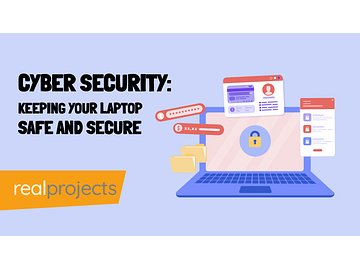
Laptops let us work anywhere, but without the right precautions they put confidential data at risk from hackers and cyber criminals.
What this course covers:
- Creating strong passwords and when to use them
- Keeping software up to date
- Storing files securely
- Using privacy tools to prevent snooping
- Simple actions to protect your device
Delivered as an animated video with narration and a multiple-choice assessment for remote and in-office workers.
System Requirements
See System Requirements in the Coggno Knowledge Base
Author

Cyber Security: Keeping Your Laptop Safe and Secure
Frequently Asked Questions
The course explains that while laptops let us work anywhere, they put confidential data at risk from hackers and cyber criminals without the right precautions. That risk frames the practical topics covered, from passwords to software updates to file storage.
Yes, it covers keeping software up to date as one of its core protective actions, alongside creating strong passwords and knowing when to use them. These habits are presented as straightforward steps any laptop user can take right away.
It covers storing files securely and using privacy tools to prevent snooping, giving learners specific actions for protecting data at rest on a laptop. This goes beyond password advice to address how files are kept safe day to day.
It's delivered as an animated video with narration, paired with a multiple-choice assessment to check understanding. This format is designed for both remote and in-office workers who need practical laptop security guidance in a short session.
It's designed for remote and in-office workers alike, reflecting how laptops let people work from almost anywhere. The course focuses on simple, everyday actions that protect a device rather than deep, technical security configuration steps.
Like all technology, using a laptop comes with risks. If the correct precautions aren’t taken, confidential information and data can be put at risk. Hackers and cyber criminals are always looking to exploit any weakness.
With the right steps, it isn’t difficult to keep a laptop secure. This course shows learners the simple actions they need to do to protect their laptops.
First, we look at the best way to create passwords and when they should be used. We then look at how to make sure that software is always kept up-to-date.
The course then shows learners how best to store files to keep them secure. Finally, we look at tools that can be used to add privacy and prevent unwanted people from taking a look at the work being done on the laptop.
This course is an animated video, with audio narration and a multiple-choice post-assessment.