AI Micro-Learning 07 - How to Make AI Your Excel Coach, Not Just Your Assistant
Last Updated 12/2025
English
Export to your LMS
Full Lifetime Access
Finish in
2 min! Run Time
2 min! Run Time
Made for for
Employees
only
Employees
only
Certificate
of Completion
of Completion
What you'll learn
Distinguish between using AI to complete a task and using it to build your own skill
Ask AI to explain its Excel formulas and shortcuts instead of only outputting a result
Use AI feedback loops to improve your spreadsheet technique over time
Apply AI coaching prompts to strengthen your own Excel proficiency
Skills covered in this course
Description
In 2.5, you’ll learn how to use AI tools to teach you how to improve your work, not just do it for you.
What you'll learn:
- Distinguish between using AI to complete a task and using it to build your own skill.
- Ask AI to explain its Excel formulas and shortcuts instead of only outputting a result.
- Use AI feedback loops to improve your spreadsheet technique over time.
- Apply AI coaching prompts to strengthen your own Excel proficiency.
System Requirements
See System Requirements in the Coggno Knowledge Base
Author

Compliance you trust
At Traliant, compliance is more than a requirement; it’s the foundation for better workplaces. Our in-house legal team is at the heart of every solution, ensuring content is continuously updated and fully aligned with the latest regulations.
What does that mean for you? Your organization can be confident your compliance program is always accurate and effective.
Training and solutions you love
Traliant combines cinematic, engaging training with innovative compliance solutions that can be tailored to the needs of your workplace. From micro–reels and phishing simulations to a platform with analytics and administration services, our solutions are designed to make compliance simple, effective, and engaging.
The result? With responsive support and award-winning service, we can help you make compliance easier while building a culture where employees feel respected, included, and empowered.
AI Micro-Learning 07 - How to Make AI Your Excel Coach, Not Just Your Assistant
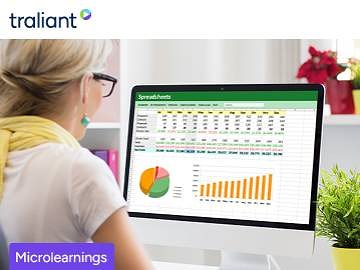
AI Micro-Learning 07 - How to Make AI Your Excel Coach, Not Just Your Assistant
In 2.5, you’ll learn how to use AI tools to teach you how to improve your work, not just do it for you.
Frequently Asked Questions
It means asking AI to explain how a formula or shortcut works instead of only asking it to produce a finished spreadsheet for you.
The lesson runs about two and a half minutes and focuses on one specific AI habit.
Anyone who already uses AI in Excel but wants to build their own spreadsheet skills rather than relying on AI for every task.
Asking AI to teach the reasoning behind a solution, not just hand over the answer.
No, it focuses on the coaching mindset you bring to any AI-assisted Excel task, not a specific formula list.
This course is designed for employees who need to complete AI Micro-Learning 07 - How to Make AI Your Excel Coach, Not Just Your Assistant training
Yes. This course is designed to meet applicable federal requirements and commonly mandated state standards. Always confirm specific state or industry requirements with your local regulations.
The course takes approximately 2 minutes to complete and can be paused and resumed at any time.
Yes. Learners receive a downloadable certificate upon successful completion, which can be used for compliance records and audits.
Yes. You can assign this course to individuals or groups using Coggno’s LMS, or purchase multiple seats for your team.
Yes. This course can be exported for delivery in most learning management systems (SCORM compatible).
Yes. The course is fully self-paced and available 24/7.
Yes. This course includes a knowledge check to reinforce learning and verify completion.
Learners have lifetime access from the date of purchase.
Yes. A preview is available so you can review the course format and content before purchasing.
Yes. Content is reviewed and updated as regulations and best practices change.
Yes. This course is available for free with an active Prime Subscription.
Yes. Refund requests can be submitted within 30 days of purchase.