Ultimate Excel Pivot Tables
Last Updated 05/2026
English
Export to your LMS
Full Lifetime Access
Finish in
5h 36 min! Run Time
5h 36 min! Run Time
Made for for
Employees
only
Employees
only
No Certificate
Provided
Provided
What you'll learn
Create and customize Pivot Tables, including building from raw data and applying professional formatting;
Sort, filter, group, and calculate data using Pivot Table tools like slicers, timelines, calculated fields, and value options;
Build interactive dashboards using Pivot Charts and multiple data sources to present dynamic, insightful reports
Skills covered in this course
Description
Pivot Tables are one of the most powerful features in Excel—helping you analyze, summarize, and present data with ease.
This course takes you on a hands-on journey from understanding the fundamentals of Pivot Tables to building interactive dashboards that bring your data to life.
Whether you’re new to Pivot Tables or looking to sharpen your skills, this course is designed to give you practical, step-by-step experience. Each section includes guided exercises, pro tips, and best practices so you can confidently apply what you learn to real-world data challenges.
This course takes you on a hands-on journey from understanding the fundamentals of Pivot Tables to building interactive dashboards that bring your data to life.
Whether you’re new to Pivot Tables or looking to sharpen your skills, this course is designed to give you practical, step-by-step experience. Each section includes guided exercises, pro tips, and best practices so you can confidently apply what you learn to real-world data challenges.
System Requirements
See System Requirements in the Coggno Knowledge Base
Author
Assemble You creates modern learning experiences designed for real work. Their expert-led content is delivered through podcast-style lessons, short-form videos, and series-based learning journeys that drive engagement, skill development, and measurable business results. Trusted by organizations worldwide, Assemble You helps transform workplace learning into practical, real-life behavior change.
Built for today’s busy professionals, Assemble You focuses on accessible, engaging learning formats employees actually want to use. Their SCORM-ready libraries cover topics including AI literacy, behavioral skills, leadership development, Microsoft 365 training, and compliance training, making them a strong fit for modern LMS platforms.
Built for today’s busy professionals, Assemble You focuses on accessible, engaging learning formats employees actually want to use. Their SCORM-ready libraries cover topics including AI literacy, behavioral skills, leadership development, Microsoft 365 training, and compliance training, making them a strong fit for modern LMS platforms.
Ultimate Excel Pivot Tables
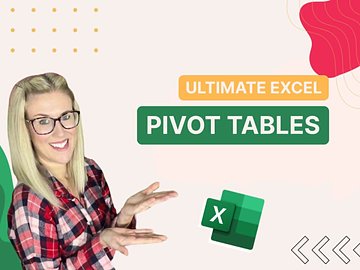
Ultimate Excel Pivot Tables
Frequently Asked Questions
This course is designed for employees who need to complete Ultimate Excel Pivot Tables training
Yes. This course is designed to meet applicable federal requirements and commonly mandated state standards. Always confirm specific state or industry requirements with your local regulations.
The course takes approximately 336 minutes to complete and can be paused and resumed at any time.
No. This course does not include a certificate of completion.
Yes. You can assign this course to individuals or groups using Coggno’s LMS, or purchase multiple seats for your team.
Yes. This course can be exported for delivery in most learning management systems (SCORM compatible).
Yes. The course is fully self-paced and available 24/7.
Yes. This course includes a knowledge check to reinforce learning and verify completion.
Learners have lifetime access from the date of purchase.
Yes. A preview is available so you can review the course format and content before purchasing.
Yes. Content is reviewed and updated as regulations and best practices change.
Yes. This course is available for free with an active Prime Subscription.
Yes. Refund requests can be submitted within 30 days of purchase.